 UK: 020 8146 3222
 info@imperialintelligence.co.uk
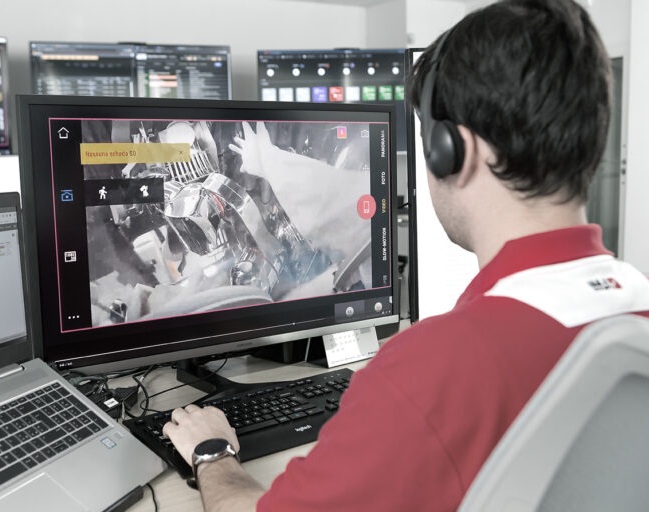
In today’s digital-first world, effective tech support must be instantaneous and flexible. Remote assistance enables IT professionals, business owners, MSPs, and educators to troubleshoot and resolve issues in real time without being physically present. This guide explores why remote assistance is a game-changer for cybersecurity, IT management, and modern enterprises worldwide.
What is Remote Assistance?
Remote assistance is a technology that allows one user to remotely access another's computer or device, enabling live troubleshooting, software installation, and technical support. It eliminates geographical barriers, reducing downtime and improving operational efficiency. Unlike remote desktop solutions intended for personal use, remote assistance is designed for collaborative help and requires user permission and secure connections.
Why Remote Assistance Matters
With the rise of remote and hybrid work, the demand for instant, secure tech support has surged. Organizations globally depend on remote assistance to:
- Support distributed teams and remote employees efficiently
- Manage cybersecurity threats faster by quick incident response
- Lower IT costs by reducing on-site visits and travel expenses
- Accelerate onboarding and training for new hires anywhere
A recent survey shows 78% of IT leaders expect remote support to be vital for their cybersecurity and work continuity strategies in 2025.
Key Benefits of Remote Assistance
- Faster Problem Resolution: A technician can immediately view and control the affected device, cutting troubleshooting time.
- Cost Efficiency: Saves money on travel and hardware repair logistics for businesses and MSPs.
- Improved Security: Modern remote assistance tools prioritize encrypted sessions and user authentication.
- Enhanced Collaboration: Teams can work side by side virtually, sharing expertise effortlessly.
- Scalability: Supports organizations of all sizes, from startups to enterprises, across multiple industries.
Top Industries Using Remote Assistance
Remote assistance adoption spans various sectors, including:
- Cybersecurity firms: For rapid threat identification and mitigation.
- Healthcare providers: To manage IT systems remotely and maintain HIPAA compliance.
- Education: Enabling teachers and IT admins to support students and remote classrooms.
- Financial services: Ensuring sensitive systems remain operational with minimum downtime.
- Managed Service Providers (MSPs): Delivering scalable, efficient client tech support.
How IT Managers and MSPs Can Leverage Remote Assistance
- Choose the Right Remote Assistance Tool
Look for features like end-to-end encryption, multi-factor authentication, and compatibility with various devices and operating systems. Integration with existing IT service management (ITSM) platforms can streamline workflows.
- Establish Clear Remote Support Policies
Define access protocols, user permissions, and incident logging to uphold cybersecurity standards.
- Train Your Support Teams
Equip help desk staff to use remote assistance tools effectively, enhancing first-contact resolution rates.
- Offer Self-Service and Remote Help
Complement remote assistance with knowledge bases and FAQ portals to empower users and reduce repetitive requests.
Common Challenges and How to Overcome Them
User Trust and Privacy Concerns: Transparent communication about the support session scope builds trust.
Connectivity Issues: Use tools optimized for low-bandwidth environments and offer offline support where possible.
Security Risks: Employ tools certified for compliance with regulations such as GDPR and HIPAA.
Actionable Tips to Maximize Remote Assistance Success
- Maintain an updated inventory of devices and software for quick access during support.
- Schedule routine remote maintenance during off-hours to avoid disruption.
- Use session recording and reporting features for quality assurance and auditing purposes.
Frequently Asked Questions (FAQs)
1: Is remote assistance safe for sensitive data?
Yes, when using secure tools with encryption and authorization, remote assistance sessions protect confidential information.
2: How is remote assistance different from remote desktop?
Remote desktop grants full-time access generally to the user's system, while remote assistance is session-based and permission-driven for support.
3: Can remote assistance be used across different operating systems?
Most modern tools support cross-platform access, including Windows, macOS, Linux, iOS, and Android devices.
4: What industries benefit most from remote assistance?
Healthcare, finance, education, MSPs, and cybersecurity sectors benefit notably due to their IT support demands and compliance needs.
5: How can businesses integrate remote assistance with existing IT workflows?
By choosing solutions with API integrations, ticketing system compatibility, and automation capabilities, remote assistance can seamlessly fit into ITSM processes.
Remote assistance is indispensable for fast, secure, and cost-effective IT support in today’s globally distributed work environments. To explore tailored solutions for your organization, contact Imperial Intelligence today at
Ready to Get Started?
Let’s simplify your workload.
Request a free sample or a custom quote today - and see the Imperial difference for yourself.
Partner with us to unlock efficiency and growth
Related Services:
 Remote Executive Assistant (UK) – High-Level Virtual EA Support for Busy Leaders
 Executive Assistant Remote Services
 Remote Virtual Assistant (UK) – Secure, Professional Support That Scales With You
 Transcription Services California Near Me
 International Arbitration Transcription
 Remote Administrative Assistant (UK) – Reliable Remote Admin Support That Saves You Hours Every Week
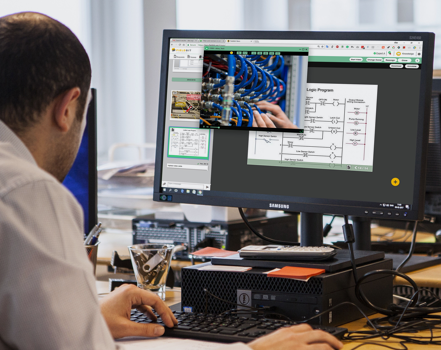 Windows Remote Assistance: How to Get Remote Help on Windows 11/10 (Quick Assist, MSRA, Security & Fixes)
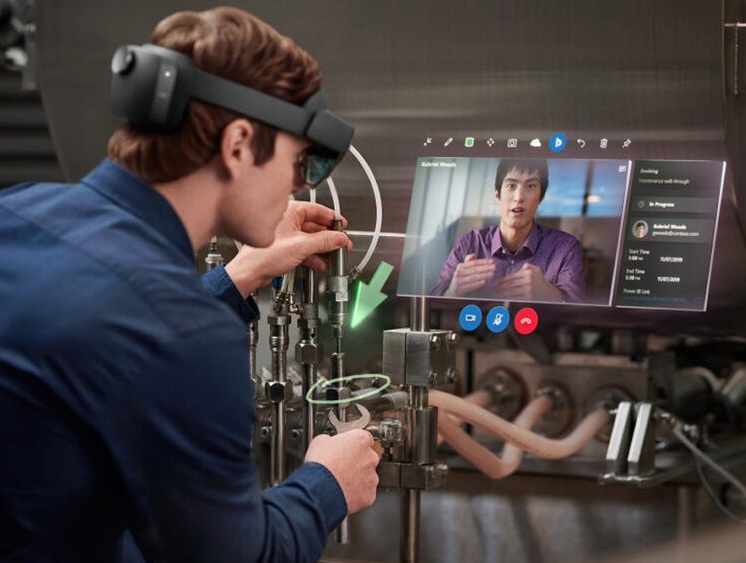 Microsoft Remote Assistance Support
 Remote Medical Assistant Services
 Remote Admin Assistant Services
 Top 5 Tasks You’re Wasting Time On-That a Skilled Remote Assistant Can Handle
 Best Transcription Services
 Police Interview Transcription Services
 Home Assistant Remote Access

